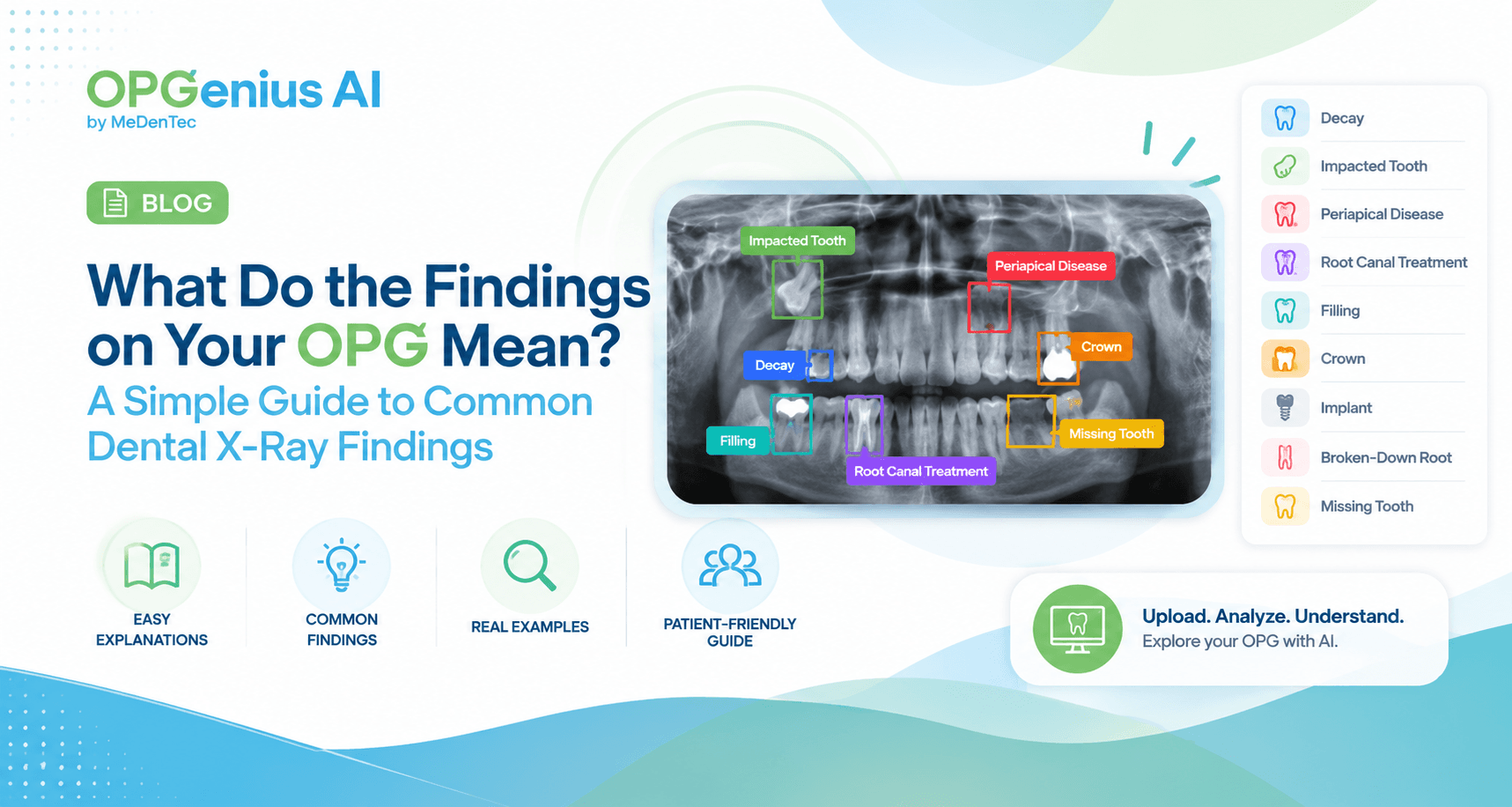
What Do The Findings On Your OPG Mean?
What do common OPG findings mean? Learn about decay, impacted teeth, periapical disease, fillings, crowns, implants, root canal treatment, and more.
When you look at your OPG there are teeth, roots, shadows, white areas, dark areas, and suddenly you have more questions than answers.
What is that dark area? Why is that tooth highlighted? What does “periapical disease” mean? Is that tooth impacted?
If you've ever looked at a panoramic dental x-ray/full mouth x-ray and wondered what you're actually seeing, you're not alone.
An OPG can contain a lot of information, but understanding the terminology used to describe radiographic findings can make it much easier to have a meaningful conversation with your dentist.
In this guide, we'll walk through some common findings you may encounter on an OPG and explain them in simple language.
Important: An AI-highlighted finding is not the same as a diagnosis. Your dentist needs to interpret the radiograph alongside your symptoms, clinical examination, history, and other relevant information.
What can you actually see on an OPG?
Let's break down some of the common findings you may come across.
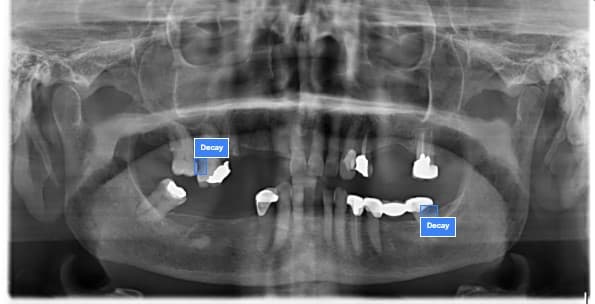
1. Decay
You may have heard your dentist call this a cavity or dental caries.
On an x-ray, areas affected by decay can appear darker than the surrounding tooth structure.
But here's something important:
Not every dark area on an OPG is necessarily decay.
The appearance can depend on the location, severity, image quality, and other factors.
If an AI tool highlights an area as possible decay, think of it as:
“This area deserves attention.”
not:
“I definitely have a cavity.”
Your dentist determines what the finding means clinically.
2. Impacted tooth
An impacted tooth is a tooth that has not erupted normally into its expected position.
Wisdom teeth are a common example.
On an OPG, an impacted tooth may appear tilted, partially erupted, or positioned differently from the other teeth.
You might see something like:
“Impacted tooth”
highlighted on an AI-generated OPG analysis.
But does every impacted tooth need to be removed?
Not necessarily.
Treatment depends on factors such as its position, symptoms, surrounding structures, risk of complications, and your dentist's assessment.
3. Periapical disease
This term can sound complicated.
Let's break it down.
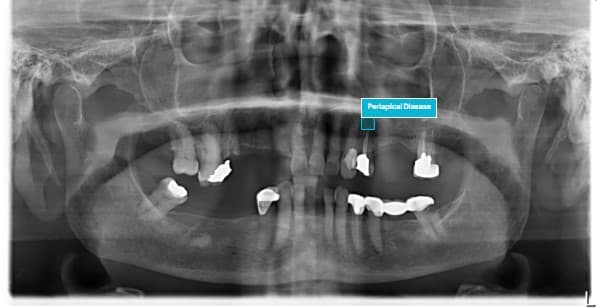
Periapical refers to the area around the tip or apex of a tooth root.
So, when you see a term such as periapical disease or a periapical finding, it refers to an abnormality around the root tip.
This can sometimes be associated with problems involving the tooth's pulp or previous infection.
But again:
A highlighted area ≠ a final diagnosis.
Your dentist may need to consider your symptoms, clinical examination, previous treatment, and sometimes additional imaging before determining what is actually happening.
4. Root canal treatment
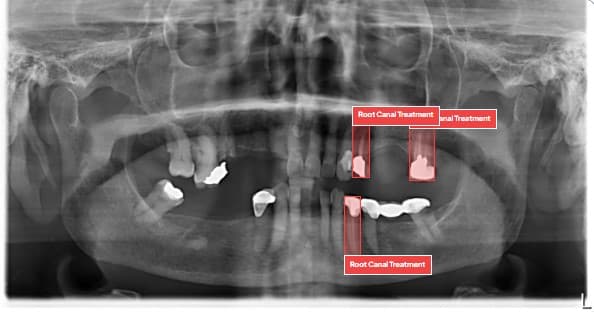
A tooth that has undergone root canal treatment can have a characteristic radiographic appearance because the internal canal system has been treated and filled.
On an OPG, AI may identify a tooth as having evidence of previous root canal treatment.
This can be useful when reviewing a patient's dental history, particularly when the patient isn't sure which teeth have been treated previously.
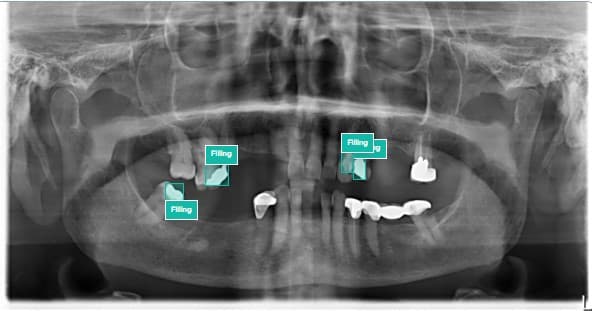
5. Filling
Dental fillings can appear quite different from natural tooth structure on an x-ray.
Depending on the material, they may appear as relatively bright or radiopaque areas within the tooth.
If an AI system highlights a filling, it is essentially identifying an area that appears consistent with a restoration.
But the presence of a filling doesn't tell you whether:
It is new or old
It is functioning well
It needs replacement
There is decay around it
Those questions require clinical assessment.
6. Crown
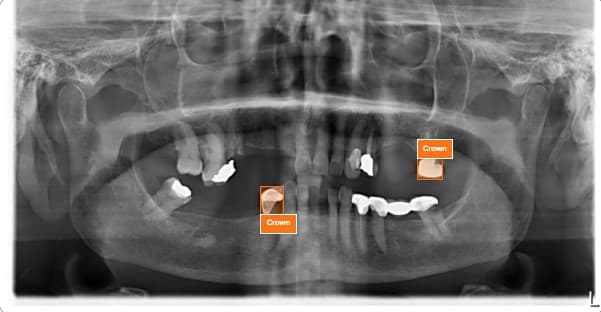
A dental crown is a restoration placed over a tooth.
On an OPG, crowns can often be distinguished from natural tooth structure because of their radiographic appearance.
An AI system may therefore highlight a tooth as having a crown.
7. Implant
Dental implants are used to replace missing teeth.
Because implants are made from radiopaque materials, they can be clearly visible on many dental radiographs.
An OPG can therefore provide an overview of the position of dental implants in the jaws.
8. Broken down root
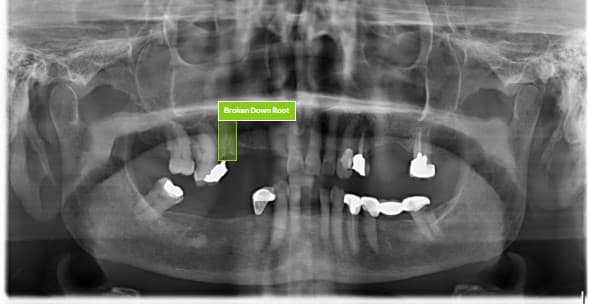
Sometimes a tooth has been extensively damaged, leaving behind a significant portion of the remaining root structure.
An AI system may identify this as a broken-down root.
This finding can be particularly useful because it may not always be obvious to someone looking at an OPG without dental training.
However, what should happen next depends on the clinical situation.
Your dentist may need to determine whether the remaining structure can or should be treated, removed, or monitored.
9. Missing tooth
A missing tooth can sometimes be visible on an OPG as an area where a tooth would normally be expected but isn't present.
But here's where context becomes important.
A missing tooth on an image could represent:
A tooth that was previously extracted
A congenitally absent tooth
A tooth that has not erupted
A developing tooth depending on age
Another clinical situation
So even something as seemingly straightforward as missing tooth requires context.
Why can the same OPG look different to different people?
Here's something interesting.
Two people can look at the same OPG and notice completely different things.
A patient may see:
“A lot of teeth.”
A dental student may see:
“An impacted third molar.”
A dentist may see:
“An area that needs correlation with clinical findings.”
And an AI system may highlight:
“Potential finding detected here.”
That's why AI and clinical expertise don't have to compete.
They can play different roles.
Instead of looking at a grayscale OPG and trying to figure out where everything is, OPGenius uses AI-assisted analysis to highlight detected findings directly on the radiograph.
You can then explore the highlighted findings and review the associated information provided by the platform.
But wait, does a highlight mean you definitely have that problem?
No.
This is one of the most important things to understand about AI-assisted radiographic analysis.
An AI system identifies patterns that may correspond to particular findings.
That doesn't mean every highlighted area represents a confirmed clinical condition.
Similarly, if something isn't highlighted, that doesn't necessarily mean the finding is definitely absent.
Think of AI as a starting point for exploration, not the final clinical decision.
Have an OPG?
Upload your panoramic dental x-ray to OPGenius AI and explore what AI-assisted analysis can identify.
Upload → Analyze → Explore → Understand
AI-generated results are for informational purposes only and should not replace professional dental diagnosis or consultation.
Want to see AI-powered dental analysis in action?
Try a Free OPG Scan