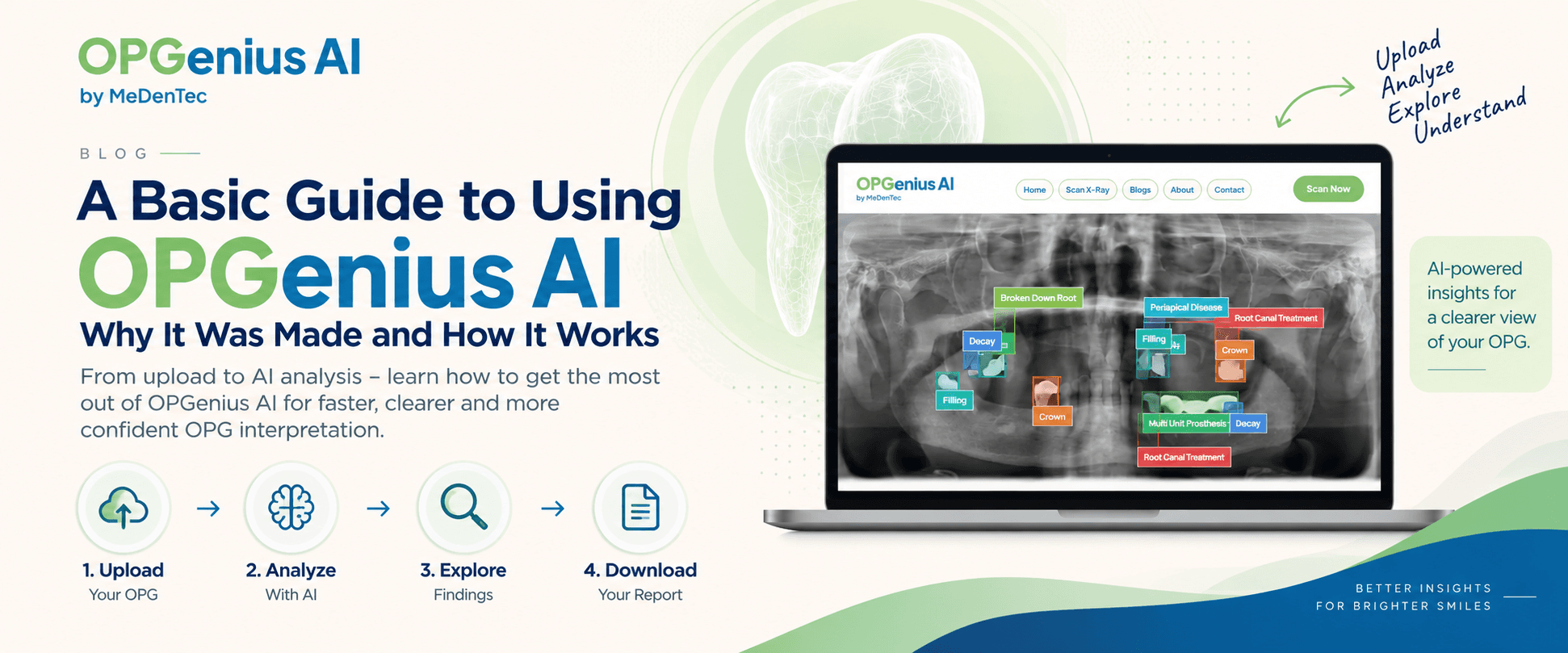
A Basic Guide to Using OPGenius AI: Why It Was Made and How It Works
Wondering how OPGenius AI works? Learn why OPGenius AI was created, how to upload and analyze your panoramic dental X-ray, explore AI-detected findings, and generate a report, all in a few simple steps.
Why Was OPGenius AI Made?
An OPG can contain a lot of information.
A single panoramic X-ray can show the teeth, roots, jaws, restorations, impacted teeth, surrounding bone and other structures. But interpreting all of this requires experience, concentration and time.
And even experienced dentists are working in busy clinical environments where every radiograph deserves careful attention.
This led to a simple question:
Could AI help make OPG interpretation easier, faster and more consistent?
That's the idea behind OPGenius AI.
Developed by MeDenTec, OPGenius AI combines dental expertise with computer vision and deep-learning models trained on annotated dental datasets. The platform was created to support the interpretation of panoramic dental X-rays and make AI-assisted insights more accessible to dentists, dental students, researchers and patients.
Think of it as an AI-assisted second layer of information that can help users visualize findings and review an OPG more efficiently.
So, How Do You Use OPGenius AI?
The process is simple:
Upload → Analyze → Explore → Report
Here's how it works.
Step 1: Get your OPG ready
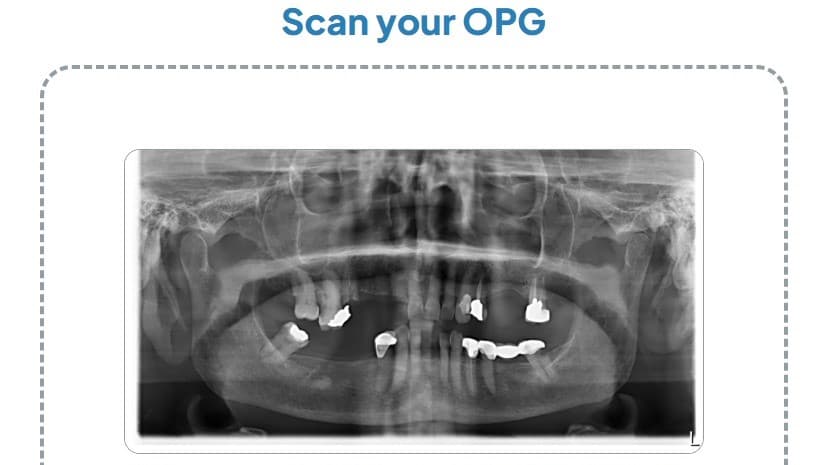
Start with the original digital copy of your panoramic X-ray.
For the best analysis, OPGenius AI recommends using a good-quality 'digital' radiograph rather than a photograph of a printed X-ray or a blurry screenshot. The platform currently supports formats including JPG, JPEG, PNG, DICOM and TIFF.
Step 2: Upload your OPG
Go to OPGenius AI and select Scan Now.
You can upload your OPG directly through the scanning interface. Guest scanning is available without requiring you to create an account first.
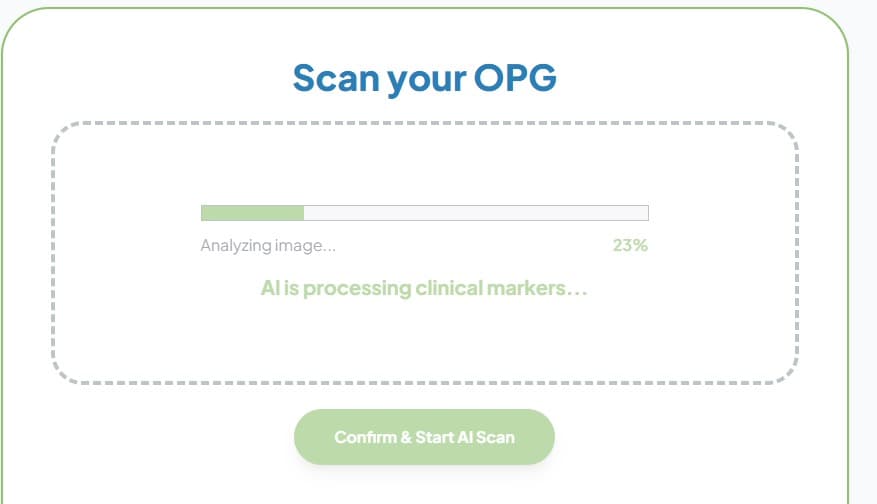
Simply upload the image and let the AI process it.
Step 3: Let the AI Analyze your OPG
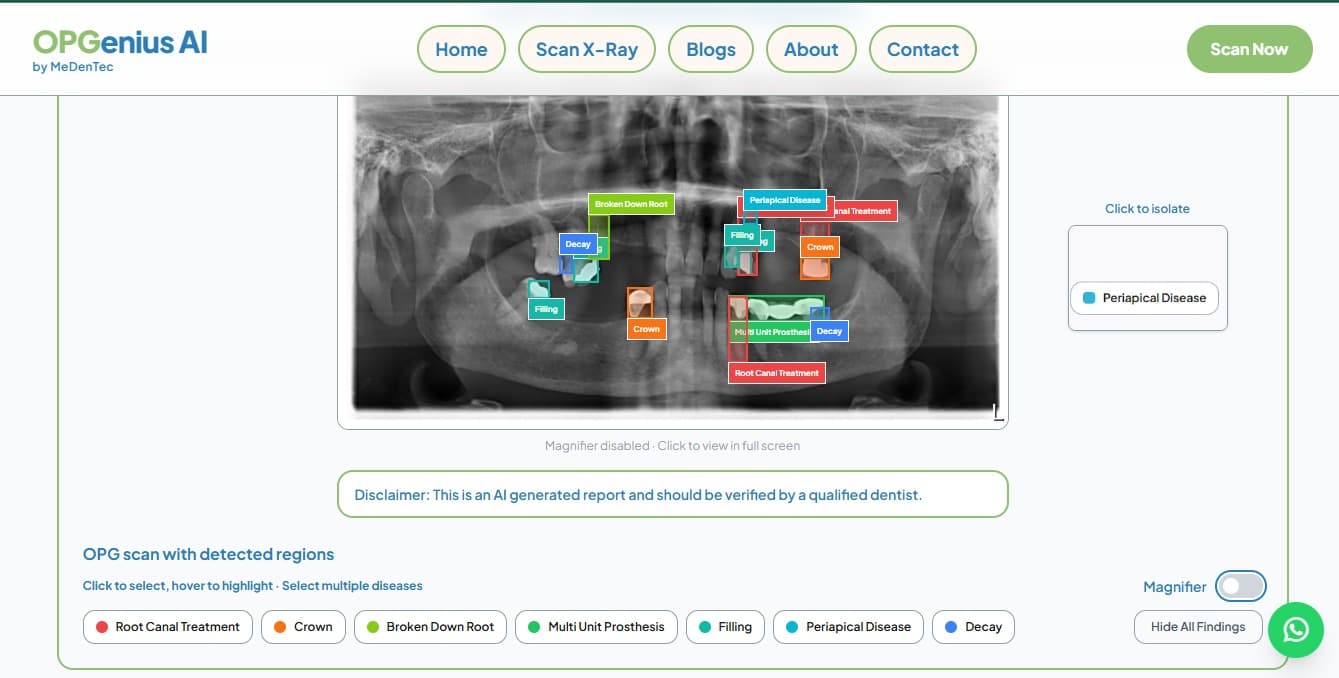
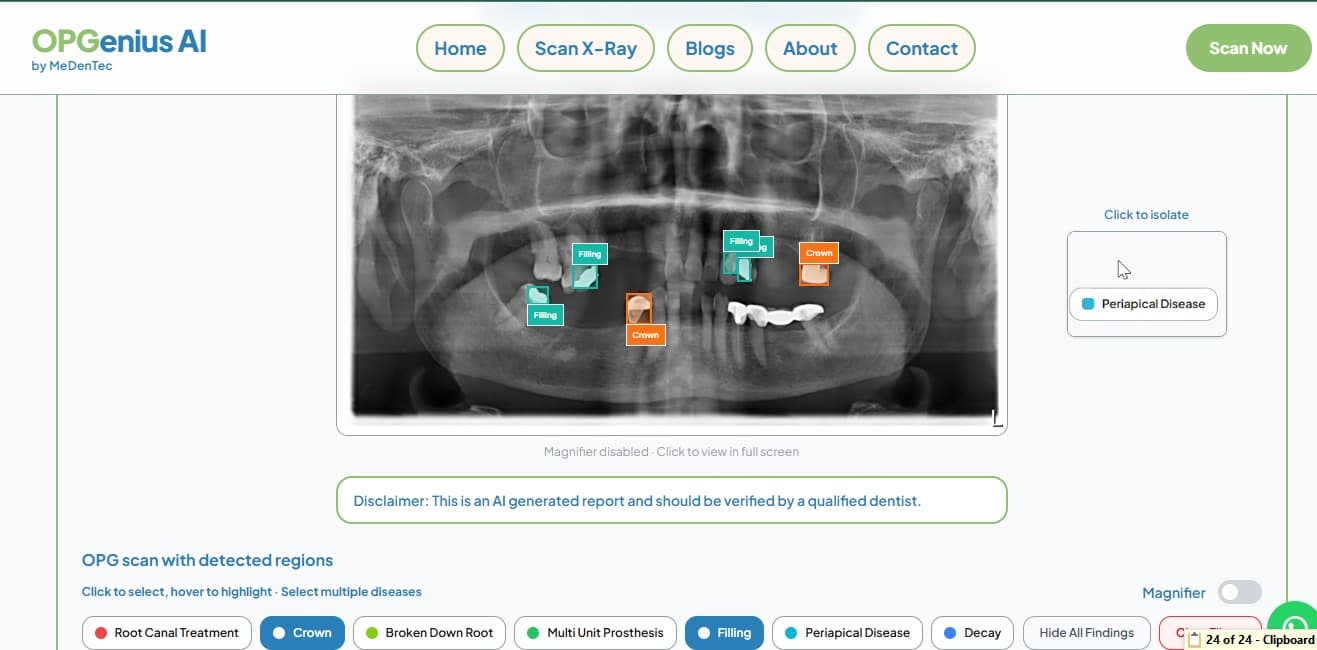
Once the scan is processed, OPGenius AI analyzes the panoramic radiograph and highlights detected findings directly on the image.
Instead of looking at one large grayscale image and trying to identify everything yourself, the AI-generated visual markers help draw attention to areas of interest.
Depending on the finding, OPGenius AI can identify things such as:
Decay
Periapical disease
Root canal treatment
Crowns
Implants
Fillings
Broken-down roots
Multi-unit prosthesis
Impacted teeth
Step 4: Explore individual findings
This is where the interactive part becomes useful.
Once findings have been detected, you can explore them individually.
Selecting a particular finding can isolate it on the OPG while the other findings fade into the background.
For example, if you want to look specifically at a detected crown, you can focus on that finding rather than trying to interpret every marker on the radiograph at once.
This can be particularly helpful when an OPG contains multiple findings.
Step 5: Review the summary
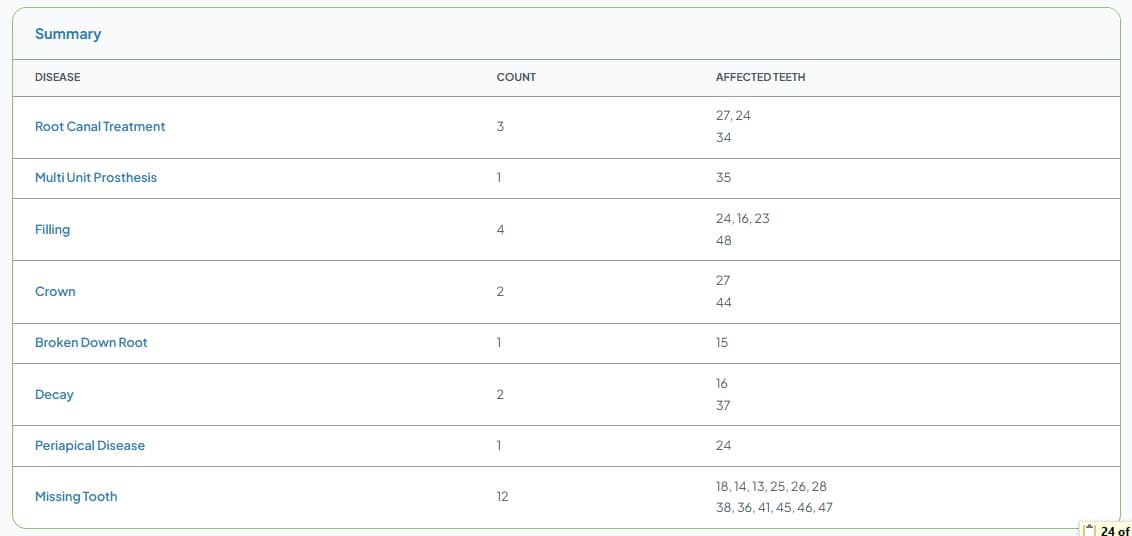
After exploring the visual findings, you can review the structured summary.
The report organizes the detected findings and their associated tooth numbers, giving you a clearer overview of what the AI identified.
For dentists and students, this can provide another way to review a case.
For patients, it can make an otherwise confusing X-ray easier to discuss with their dentist.
Step 6: Download your report
Once you've reviewed the findings, you can generate and download a PDF report.
The report can then be saved or shared with your dentist for discussion. OPGenius AI's platform currently offers downloadable reports as part of its free guest scanning workflow.
Who can use OPGenius AI?
OPGenius AI was designed with several users in mind.
Dentists
Use AI-assisted findings as an additional tool when reviewing panoramic radiographs.
Dental Students
Use highlighted findings as a learning aid while developing radiographic interpretation skills.
Researchers
Explore AI-assisted OPG analysis and incorporate radiographic insights into research workflows.
Patients
Get a clearer visual understanding of what may be visible on their OPG before discussing the findings with their dentist.
The common goal is the same:
Make OPG interpretation easier to understand.
But can OPGenius AI replace a dentist?
No.
And this is important.
OPGenius AI is an AI-assisted support tool, not a replacement for professional diagnosis.
An AI system can highlight a finding, but a dentist considers much more than the X-ray alone, including the patient's symptoms, clinical examination, medical and dental history, and other relevant investigations.
So, the best way to think about OPGenius AI is:
AI helps you see the information. A dental professional helps you understand what it means clinically.
Why we built it
At its core, OPGenius AI was created around a simple idea:
Dental AI should be useful, accessible and easy to understand.
A powerful AI model is only valuable if people can actually use it.
By combining dental expertise with AI-powered image analysis, OPGenius AI aims to make panoramic radiographs easier to explore, whether you're reviewing a clinical case, learning radiology, conducting research, or simply trying to understand your own OPG.
Upload your OPG. Let AI highlight what it sees. Explore the findings. Then take those insights to your dentist.
That's the basic idea behind OPGenius AI.
Try OPGeniusAI!
Want to see AI-powered dental analysis in action?
Try a Free OPG Scan